How Uber Pro rewards work in 2026
Tiers, points, and perks explained.

Uber Pro is Uber’s rewards program for drivers, and you’re automatically enrolled. You earn one point per trip, and the points you collect in each three-month period set your tier for the next one: Blue, Gold, Platinum, or Diamond [1]. Higher tiers add perks like Priority Rides and the 5% Pro Perk, as long as you also meet your city’s goals for rating, acceptance, cancellation, and, in most cities, your Driving Insights score.
Uber redesigned the program in 2026, and the rules now differ by city, so the Uber Pro Hub in your Driver app has the final word. Acceptance and cancellation rates usually sit closest to the line, so check those first.
Updated November 2026: The Uber Pro tiers, perks, Uber Pro Card cash back rates, and fuel offers in this article are current as of November 2026.
What changed in Uber Pro in 2026?
In February 2026, Uber announced a redesigned Uber Pro and started rolling it out city by city [2]. The tiers kept their names, but the bar for reaching them dropped for Gold and Platinum, and a safe-driving score became part of the deal. Uber also folded Advantage Mode into Uber Pro in the cities that switched over.
The catch is that the switch didn’t happen everywhere at once. Uber’s program terms spell out two versions, the redesigned program and the original one, and which one applies depends on where you drive. The terms list the markets still on the original version: New York City, Colorado, Washington, and Oregon. California runs its own version [4]. Here’s what the redesign changed:
Points: lower point thresholds for Gold and Platinum.
Gold requirements: lower acceptance and cancellation requirements to qualify.
Driving Insights: a driving score now counts toward Gold, Platinum, and Diamond.
Advantage Mode: merged into Uber Pro, so there’s one program instead of two.
California: its own version, where only the top two tiers get the Pro Perk, Platinum asks for a 25% acceptance rate, Diamond asks for 70%, and Gold has no acceptance requirement [3].
A lot of articles and forum threads still quote the original program’s fixed numbers: a 4.85-star average and a 4% cancellation rate to qualify, plus a 75% acceptance rate to hold your tier. Those still apply in original-program markets. The redesigned program sets its cutoffs city by city. If a number you read online doesn’t match your app, trust the app.
How do Uber Pro tiers work?
There are four tiers: Blue, Gold, Platinum, and Diamond. Every driver starts in Blue, which has no requirements, and each tier above it adds rewards on top of the ones below [4]. Tiers aren’t permanent. You earn them again every period.
To hold Gold, Platinum, or Diamond, you need two things: enough points, and quality goals that may include your acceptance rate, cancellation rate, star rating, and Driving Insights score. The exact numbers depend on your city, and the Uber Pro Hub shows yours.
Here’s what each tier gets you, from the most basic rewards to the full set:
Tier | Who it’s for | Headline rewards |
|---|---|---|
Blue | Every driver, with no requirements | Uber Pro Card gas and EV cash back, plus Upside and Shell fuel offers |
Gold | Drivers who hit their city’s points and quality goals | Priority Rides, Trip Radar Advantage, and the 5% Pro Perk (outside California) |
Platinum | Drivers who clear a higher points bar | Everything in Gold, plus Priority Reserve, Extra Destination Mode, free roadside assistance, a Costco Gold Star membership, and ASU tuition coverage |
Diamond | The top tier | Everything in Platinum, plus Airport Queue Priority, Premium Support, and a free three-month Uber One membership |
How do you earn Uber Pro points, and when do they reset?
You earn one point for every trip you complete [1]. That covers UberX, Comfort, XL, Black, Uber Eats, and other trip types. Trips that start or end during certain hours or in certain areas can earn bonus points. Bonus windows vary by location, so check the Uber Pro Hub before you plan a shift around them. They track peak demand, so they often overlap with surge.
Our surge pricing strategy guide covers how to position for both.
Points count in fixed three-month periods:
November 1 to January 31
February 1 to April 30
May 1 to July 31
August 1 to October 31
Points reset to zero at the end of each period and never carry over [4]. The points you earn in one period set your tier for the next, so what you earn from August through October decides your status from November through January. You can also move up mid-period if you hit the numbers. Points have no cash value; they only decide your tier.
If you drive and also take Uber Eats orders, those delivery trips earn points too. Delivery-only couriers aren’t part of Uber Pro, though they may qualify for Uber Eats Pro instead.
Splitting your week between rides and deliveries: Pay, tips, and costs work differently on each side. Our rideshare vs. delivery guide compares them side by side, so you can see where your hours earn more.
What do you need besides points to keep your tier?
Experienced drivers already watch their numbers, and Uber Pro runs on four of them. Each one covers a different window of recent trips, and that window tells you how fast the number can move.
Measure | What it counts | Window |
|---|---|---|
Star rating | The average of your ratings from riders | Your last 500 ratings |
Cancellation rate | Trips you canceled after accepting | Your last 100 accepted requests |
Acceptance rate | Requests you accepted, with offers you let expire counted as not accepted | Your last 100 Exclusive requests from the last three years |
Driving Insights | Your driving score, leaving out shared rides and deliveries | Your last 50 trips |
Your driver rating is the average of your last 500 rider ratings, so one bad rating barely moves it. Your cancellation and acceptance rates each count only your last 100 requests, so every canceled trip or missed offer moves the number by a full point.
Uber’s program page spells out what happens when cancellations climb [5]. If you’re Gold or above and your rate lands between 4.01% and 10%, you keep your status and rewards, but you can’t move up by earning more points. Above 10%, you lose Gold-and-up rewards right away, and you need to get back to 4% or below to earn them back. Cutoffs can still differ in your city, and the Hub wins over any number written down.
What perks do Gold, Platinum, and Diamond get?
Gold mostly improves the offers you get, while the top two tiers add perks with value outside the car, like memberships and tuition. The fine print below comes from Uber’s Pro terms.
Gold and up
Priority Rides: more Exclusive trip requests sent straight to you. Airport, delivery, Hourly, Reserve, and premium requests don’t count.
Trip Radar Advantage: priority matching at airports and on some trips, when two or more drivers request the same Trip Radar trip.
5% Pro Perk: 5% more on eligible trips, with tips, tolls, and promotions left out. In California it starts at Platinum.
Platinum and up
Priority Reserve: more Reserve trip opportunities, though it may not be offered in every city.
Extra Destination Mode: use Destination Mode up to three times a day. Declines and cancels in a session still count toward your rates.
Free roadside assistance: 24/7 roadside help through Urgently, booked from the Uber Pro Hub.
Costco Gold Star membership: 12 months free, for new Costco members only.
ASU tuition coverage: tuition coverage at Arizona State University once you have 2,000 lifetime trips.
Diamond only
Airport Queue Priority: moves you to the front of the airport queue at participating airports.
Premium Support: faster answers on account, payment, and trip questions, in participating cities.
Uber One membership: three months free on rides and deliveries, redeemable again while you hold Diamond.
How much is the 5% Pro Perk worth?
The Pro Perk pays 5% more per trip on UberX and other non-premium ride types, compared with what a Blue driver would earn for the same trip. Tips, tolls, promotions, third-party fees, and operating costs aren’t part of the math. Commute, delivery, Hourly, Reserve, and premium trips like Black and Premier don’t qualify. Uber’s program page also says it doesn’t guarantee you’ll earn more than you did before the perk launched. In California, only Platinum and Diamond get it [3].
Let’s say your eligible fares come to $200 for the week. At 5%, the Pro Perk adds $10. Your tips and any bonuses aren’t in that $200, so they don’t grow. If those fares took you 25 hours, the perk works out to about 40 cents an hour.
That’s roughly $500 a year if every week looks like that. It’s real money, but it won’t change your hourly pay on its own.
How does the Uber Pro Card gas cash back work?
The Uber Pro Card is a Mastercard debit card powered by Branch and issued by Evolve Bank & Trust, Member FDIC [6]. Your earnings land on it after every trip, usually within seconds, though that isn’t guaranteed and Uber can charge a fee for it. The bigger draw for most drivers is cash back at the pump.
The higher your tier, the more you get back, and EV charging pays about double the gas rate:
Tier | Gas cash back | EV charging cash back |
|---|---|---|
Diamond | 6% | 12% |
Platinum | 4% | 8% |
Gold | 3% | 6% |
Blue | 2% | 4% |
A few rules decide whether a purchase counts:
Pay at the pump: gas cash back is only eligible for purchases made at the pump.
Choose credit: pick “credit” or bypass the PIN, because choosing debit or entering a PIN disqualifies the purchase.
Monthly cap: cash back on gas and EV charging together tops out at $100 per calendar month.
Timing: cash back can take up to seven days to post.
The Rewards Terms say the $100 cap can change with or without notice, and that rewards and rates can change at any time. If you’re weighing a switch to electric, the long-run math in this 10-year look at gas versus EV for rideshare goes well beyond the cash back rate.
Limited-time fuel boost: Starting October 5, 2026, Upside cash back is up to $1.00 per gallon (up from 25 cents) and Shell is up to 21 cents per gallon (up from 7 cents), depending on your tier. The offers show up in the Pro Hub, along with the end date [7].
How does your acceptance rate affect your Uber Pro tier?
Your acceptance rate is the share of Exclusive requests you accept out of the last 100 that Uber sent straight to you. Declining one lowers it, and so does letting one expire or time out. Declining a Trip Radar request doesn’t count against you [8].
On Uber, your acceptance rate is one of the numbers that decides your Uber Pro status and the rewards that come with it [8]. In the original program, you need at least 75% to hold Gold and up (60% in Denver) [4]. The redesigned program lowered the Gold requirement and sets cutoffs by city, and California asks for 25% at Platinum and 70% at Diamond, with no acceptance requirement for Gold [3].
Your cancellation rate is the one to protect hardest. Declining an offer only touches your acceptance rate, but accepting a trip and then canceling it counts against your cancellation rate, and the original program asks for 4% or less to qualify. Uber’s own explainer walks through how both rates are calculated.
Is Uber Pro worth chasing?
Answering this in dollars per hour, not points, tells you when status is worth planning your week around and when it’s just a nice extra.
Drivers who get the most from Uber Pro already know their numbers and treat status as a tiebreaker, not a goal. Priority Rides and the 5% perk help most if you already take most of the Uber offers you get. The trouble starts when keeping your acceptance rate up means taking trips that don’t pay enough for your time.
Here’s a quick way to sort it out:
You already accept most Uber offers: status costs you little extra, so the perks are a bonus.
You’d hit the points anyway: your normal hours already get you there, so you keep what comes with the tier.
You’d have to take offers that don’t pay for your time: a 5% perk rarely covers a trip that loses money once you count your costs.
Most of your hours are on another app: points only come from Uber trips, so the tier may not be worth bending your schedule for.
Your cost per mile settles the question. Once you know it, you can set your own dollars-per-hour and dollars-per-mile minimums and check whether a tier is worth what it asks.
Know your real cost per mile: The free Cost Per Mile Calculator works out fuel, maintenance, and depreciation in about five minutes, so your minimums rest on real numbers.
How do you protect your acceptance rate while running two apps?
Let’s say you’re 15 minutes into a Lyft ride and an Uber offer comes in. You can’t take it, so it expires, and Uber counts an expired offer as not accepted. A few of those a night pull your acceptance rate down, even though you never turned down a ride you could have driven. Drivers who run Uber and Lyft at the same time usually handle it by hand: the other app goes offline after they accept and back on after the drop-off.
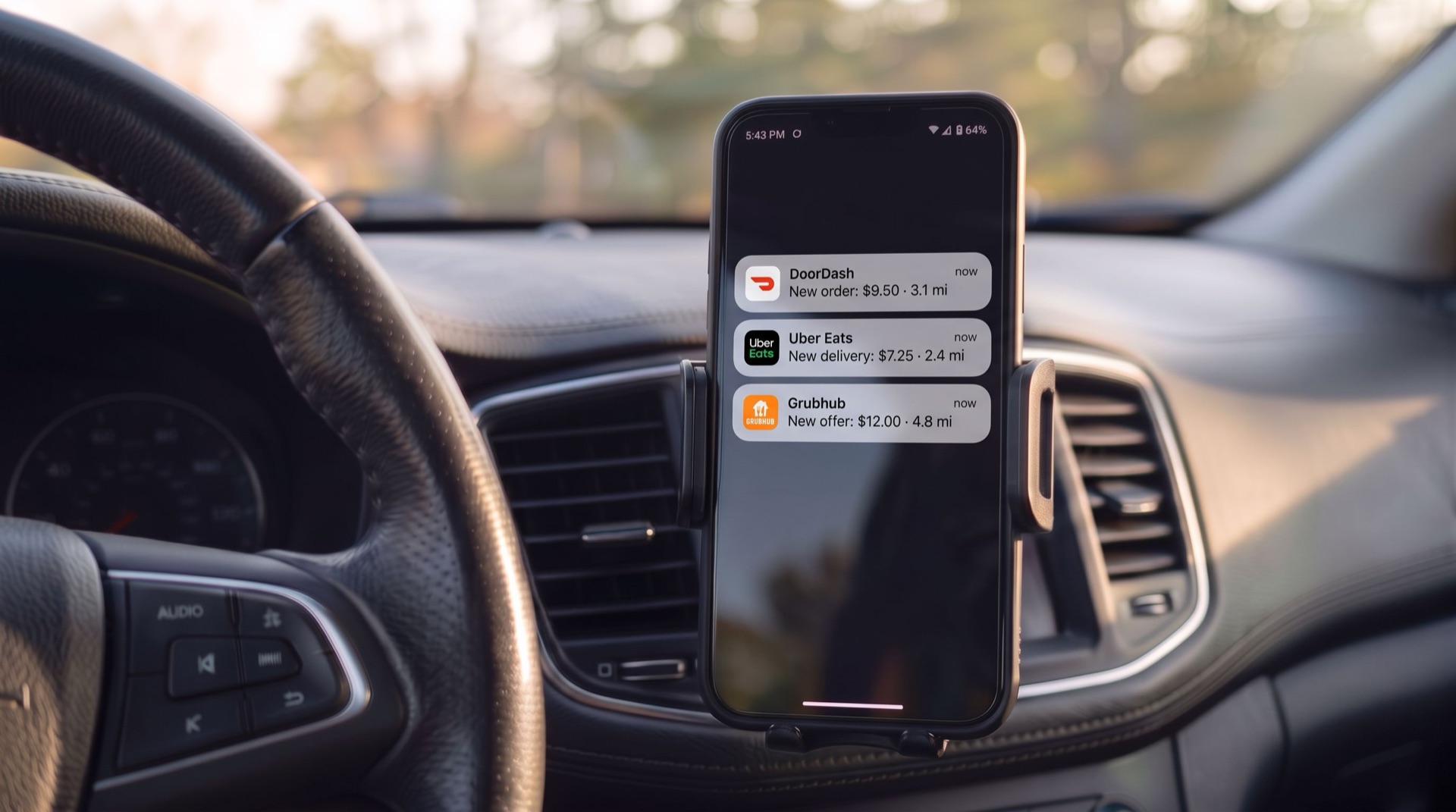
Mystro takes that step off your plate. It shows offers from all your linked apps on one screen and takes you offline on the other apps while you’re on a trip, so offers stop expiring while you’re busy. It also never cancels a trip you’ve accepted, so it won’t touch your cancellation rate. It calculates $/hr and $/mi for each offer, and its auto-reject rules decline offers that miss your own dollars-per-hour and dollars-per-mile minimums, so you set the bar once instead of judging each offer from the phone in the mount. That filtering works the same if you only drive Uber.
Keep one thing in mind when you set those rules. Uber counts a decline the same way whether you tap it or a filter does it for you. If your city’s tier asks for a high acceptance rate, look at your Hub numbers first and decide how strict to be.
Our guide to filtering out unprofitable rideshare trips walks through how drivers pick their minimums.
Frequently asked questions about Uber Pro rewards
Do you have to sign up for Uber Pro?
No. Uber’s terms say drivers are placed in a tier automatically, and Blue has no additional requirements. You start earning points with your first trip. To see your tier, your points this period, and your city’s goals, open the Uber Pro Hub in the Driver app.
Do Uber Eats trips count toward Uber Pro points?
Yes, if you also drive. Your delivery trips earn points the same way your rides do. Delivery-only couriers aren’t part of Uber Pro, though they may qualify for Uber Eats Pro where the program is available. Some ride-only rewards, like seeing the full trip duration up front, don’t apply to delivery trips.
What happens to my status if my cancellation rate goes up?
On Uber’s US program page, Gold-and-up drivers with a rate between 4.01% and 10% keep their status but can’t move up. Above 10%, Gold-and-up rewards stop right away until the rate falls back to 4% or below. Your rate covers your last 100 accepted requests, so every clean trip pushes an older one out of the count.
Why does my Uber Pro tier look different from what other drivers say?
Two versions of Uber Pro run at the same time, and point and quality cutoffs are set city by city. A driver in another city, or one still on the original program, may need different numbers than you. California has its own version too. The Uber Pro Hub in your Driver app shows the rules that apply to you.
Do Uber Pro points carry over to the next period?
No. Points reset to zero when each three-month period ends, and they never roll over. The points you earned in the period that just ended decide your tier for the period that’s starting. So your total from August 1 through October 31 sets your status from November 1 through January 31.
What should you check in the Uber Pro Hub before a period ends?
In the last few weeks of a period, go through it in this order:
Open the Uber Pro Hub in the Driver app and look at your tier, your points this period, and your quality numbers.
Check which program is live in your city, since cutoffs and perks differ between the redesigned and original versions.
Find the numbers closest to the line, starting with cancellation and acceptance rates, which move fastest.
Set your own hourly target before you chase status, so a tier never talks you into trips that don’t pay.
Running Lyft too? Mystro takes Uber offline while you’re on a Lyft trip, so expired offers stop dragging down your acceptance rate. Download Mystro from the App Store or Google Play.
References
[1] Uber. “Uber Pro rewards program.” Uber Help, accessed October 8, 2026. https://help.uber.com/en/driving-and-delivering/article/uber-pro-rewards-program?nodeId=5ee9bb9a-7080-491d-a718-8e59c7223a30
[2] Uber. “Uber Pro: rewards that go the extra mile, like you.” Uber Blog, February 11, 2026. https://www.uber.com/us/en/blog/uber-pro-reimagined/
[3] Uber. “Uber Pro in California: rewards that go the extra mile, like you.” Uber Blog, April 20, 2026. https://www.uber.com/us/en/blog/uber-pro-in-california-rewards-that-go-the-extra-mile-like-you/
[4] Uber. “Uber Pro Terms and Conditions.” Uber, last modified October 2, 2026. https://www.uber.com/us/en/legal/uber-pro-program-terms/
[5] Uber. “Uber Pro Rewards Program for Drivers.” Uber, accessed October 8, 2026. https://www.uber.com/us/en/drive/uber-pro/
[6] Branch. “Uber Pro Card Rewards Terms and Conditions.” Branch, accessed October 8, 2026. https://branchapp.com/upc/rewards
[7] Uber. “Gas savings are back for U.S. drivers and couriers.” Uber Blog, October 5, 2026. https://www.uber.com/us/en/blog/us-gas-savings-are-back/
[8] Uber. “Understanding acceptance and cancellation rates.” Uber Blog, July 15, 2025. https://www.uber.com/us/en/blog/understanding-acceptance-and-cancellation-rates/
This post first appeared in The Mystro Newsletter — driver tips, earnings strategies, and Mystro updates, in your inbox every week.