How to Increase Earnings as a Rideshare Driver
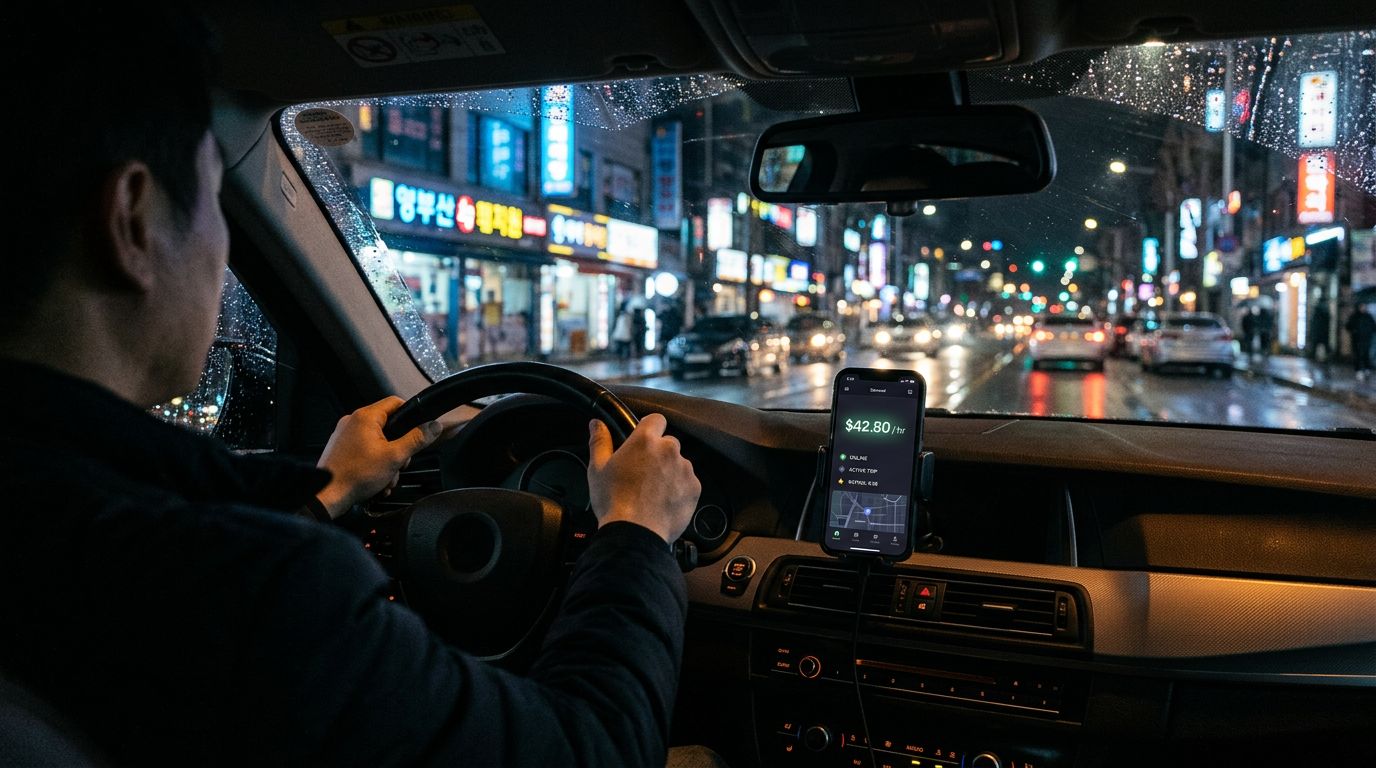
Two drivers are out in the same city on the same Friday night. Same hours logged, same gas prices, same traffic. One goes home with $180. The other goes home with $310. The difference is not hustle. It is the decisions they made on every single trip request.
Rideshare earnings come down to a handful of levers: what you accept on each ping, whether you run one app or several, when and where you drive, when to ignore the surge map, what you keep after expenses, and which trips you even see in the first place. Most tips articles lump them together into one long list. That is why drivers read them, nod, and still see the same paycheck on Thursday.
This guide breaks the levers apart, tells you which ones move the needle most, and shows you how to automate the hardest one so you can focus on the road. Mystro is the tool more than 100,000 drivers worldwide use to handle the first lever hands-free, and it will come up a few times. The strategy works with or without it, but it works a lot faster with.
What Actually Drives Rideshare Earnings in 2026
Earnings are not a mystery. A 2025 HR&A Advisors study (commissioned by Uber) found that Uber drivers in Chicago earn an average net hourly income of $23.01 after an average of $6.34 in hourly expenses [1]. That is gross pay minus gas, maintenance, and vehicle wear, before taxes. Full-time drivers land slightly higher.
Zoom out and the stakes get clearer. Pew Research Center found that 16 percent of Americans have ever earned money through an online gig platform, and 31 percent of current or recent gig workers say gig work is their main job [2]. Among that group, 56 percent cite saving up extra money and 52 percent cite covering gaps in income as major reasons for doing the work. This is rent and groceries for a lot of people, which means every percentage point of earnings improvement is real.
The six levers that actually move the paycheck:
- What you accept. The fare-per-hour value of every trip you take. One bad acceptance an hour kills a shift.
- Whether you multi-app. Running multiple platforms at the same time eliminates the idle minutes between rides.
- When and where you drive. Demand-supply imbalance. Some hours pay 2x the median and some pay half.
- Whether you chase surge. Counterintuitively, chasing the surge map usually loses money.
- What you keep. Mileage deductions and expense tracking. Every untracked mile is money the IRS keeps.
- Which trips you get shown. Driver ratings and Uber Pro tier gate access to the longer, higher-paying rides.
The rest of this article works through each lever in the order that matters most.
Lever 1: Filter Every Trip by Dollars Per Hour
This is the lever nobody talks about, and it is the one with the biggest lift. Every trip offer has a hidden hourly rate: the fare divided by the time it takes to complete. A $14 fare that eats 45 minutes of your life pays $18.67 per hour. The same $14 fare in 20 minutes pays $42 per hour. Two trips, same payout, wildly different value.
Good drivers do this math constantly. The problem is when you have to do it. A ping comes in while you are moving, you have maybe ten seconds to decide, and you are supposed to calculate time-to-pickup plus trip duration plus whether the destination is a dead zone for return rides, all while watching the road.
| Fare | Estimated Time | Dollars Per Hour |
|---|---|---|
| $8 | 10 minutes | $48 |
| $14 | 45 minutes | $18.67 |
| $22 | 30 minutes | $44 |
Uber's Upfront Fares feature now shows pay and destination before you accept in most markets, which helps. What it does not solve is the multi-app case, where you are weighing offers from two or three platforms against each other in real time. That is what Mystro was built for. It calculates and prominently displays $/hr (and $/mi) for every incoming offer, and auto-accepts or auto-rejects the moment your rules match — using those numbers plus factors like distance and pickup/dropoff area. Offers that don't match your rules surface for you to review within Uber and Lyft's standard ten-second window, with the numbers already on screen. Setup details are in the Mystro user manual if you want to see how the integration works before you install.
Lever 2: Run Multiple Platforms at the Same Time
Single-apping leaves money on the table. Multi-apping means running Uber and Lyft at the same time, often with DoorDash or Uber Eats in the mix, so that whichever platform pings first with a fare worth taking gets your next trip — and when offers come in close together, you can pick the better one.
Industry reporting from Ridester in July 2025 found that 41 to 53 percent of gig drivers now regularly multi-app, citing Gridwise Analytics data showing a 20 to 40 percent earnings boost for multi-app drivers compared to single-app drivers [3]. The reason is simple: platform A goes quiet, platform B pings. Idle minutes are the hidden tax on single-apping, and multi-apping erases them.
If DoorDash is in your stack, our live DoorDash heatmap shows where order activity is concentrated by day and meal time — useful for positioning yourself between rideshare pings.
The catch is execution. Running multiple apps by hand means toggling between screens, dismissing pings, and doing mental math, all while driving.
| Manual Multi-Apping | Automated Multi-Apping | |
|---|---|---|
| Attention required | Constant | None mid-drive |
| Missed trips | Frequent | Rare |
| Safety | Compromised | Hands-free |
Mystro handles the toggling: when you accept a trip on one platform, it pauses the others automatically, and it flips everything back on the moment you drop off. That is the difference between getting the 20 to 40 percent lift and getting a traffic ticket trying.
Lever 3: Drive When and Where Demand Outpaces Supply
Earnings per hour are not uniform. They cluster around a handful of windows and a handful of places. Drive through those, you win the shift. Drive around them, you burn gas.
The four windows that matter most in most US cities:
- Friday and Saturday nights, 9pm to 2am. Bar closes, concerts end, people do not want to drive home.
- Weekday morning commute, 6am to 9am. Airport runs and office commutes. Short trips but steady.
- Weekday evening commute, 4pm to 7pm. Same pattern, reverse direction.
- Event nights. Concerts and major sports events push demand up for hours before and after. Uber's in-app Opportunities section flags these in advance.
Uber's official earnings page notes that Quest (complete X trips in a window for a bonus) and Boost+ (extra pay on trips starting in specific areas during specific times) run on top of these windows [4]. Opt in when they fit the shift you were already going to work. Do not chase them to areas you would not otherwise drive.
Lever 4: Stop Chasing Surge You Cannot Catch
This one breaks the conventional advice. The received wisdom is to watch the surge map and chase the multiplier. In practice, that strategy loses money.
The dynamic is predictable: when a multiplier shows up on the map, every driver in range can see it, drivers converge on the area, and the multiplier collapses before most of them arrive [5]. Surge maps also lag real conditions by a minute or more, which means the multiplier you see is rarely the one still active by the time you get there.
The play that actually works: learn your city's recurring surge windows and park near them. The 2am bar close, the weekly arena event, the Sunday morning airport. Those show up reliably. Chasing a 1.4x multiplier fifteen minutes across town rarely does.
Lever 5: Keep More of What You Earn
Hourly expenses for rideshare drivers run around a quarter of gross pay, most of it vehicle-related. The IRS standard mileage deduction was 70 cents per business mile for 2025; check IRS.gov for the current year's rate. For a full-time driver that adds up to five figures in deductions. Every untracked mile is money you are voluntarily giving back.
The right setup is an auto-tracking mileage app running in the background and a quarterly tax estimate so April is not a surprise. A full breakdown of the app stack is in our companion guide on the best apps for managing multiple rideshare platforms, but the core idea is simple: pick one tracker, leave it on, review weekly, never try to reconstruct a year of driving from memory.
Water bottles and mints for passengers count too. If you are using it in service of the business, it is deductible. Keep the receipt.
Lever 6: Keep Your Rating High Enough to Unlock the Best Trips
Ratings do more than protect you from deactivation. They unlock trip visibility that lets you pick longer, higher-paying rides.
Uber Pro has four tiers, each with escalating perks [4]:
- Blue: Entry tier. Standard driver tools.
- Gold: Unlocks priority support and education discounts.
- Platinum: Unlocks trip planning tools and higher matching priority.
- Diamond: Unlocks premium support, tuition benefits, and the visibility tools that let you cherry-pick.
Point thresholds and ratings vary by city, so check your in-app Uber Pro page for the specific targets in your market.
The rating killers are predictable: dirty car, aggressive driving, canceling too often, ignoring the passenger, running late. Fix all of those and the rating takes care of itself.
The Safety-Earnings Connection Nobody Talks About
Every second you spend looking at a phone while the car is moving is a second you are not looking at the road. The usual framing makes this a safety issue. It is also an earnings issue.
Decisions you make in those seconds are the ones that determine your paycheck. Accept or decline, which app, which route. If your cognitive load is split between reading a ping and merging into traffic, the decision quality drops. You take the fare you should have declined. You miss the better fare on the other platform. You accumulate small losses across a shift that add up to a hundred dollars by the end of the month.
Hands-free automation is a safety upgrade and an earnings upgrade at the same time, because the decision is evaluated against your rule, not against your fatigue at 1am. The platforms optimize for their own economics; a tool that evaluates every offer against your rules, consistently, is how you optimize for yours.
A Rideshare Earnings Playbook
Three tiers of action, in the order you should tackle them.
Your next shift:
- Install Mystro and set a dollars-per-hour threshold you will not accept below.
- Turn on auto-tracking in a mileage app.
- Pick one recurring surge window this week and park near it instead of chasing.
Your next month:
- Track your actual hourly earnings by day of week and time of day. Most drivers have no idea when they actually earn the most.
- Start multi-apping if you are not already. Uber plus Lyft is the simplest combination.
- Hit the Uber Pro tier goals for your market.
Your next quarter:
- Run a quarterly tax estimate and set aside 25 to 30 percent of gross.
- Audit your expenses. If you are not tracking vehicle maintenance and insurance, you are leaving deductions on the table.
- Reassess your target hourly rate every quarter. The market moves. Your threshold should too.
Frequently Asked Questions
How much do rideshare drivers actually make per hour?
A 2025 HR&A Advisors study (commissioned by Uber) of drivers in Chicago found an average net hourly income of $23.01 after $6.34 in hourly expenses, or roughly $29 gross [1]. Earnings vary heavily by market, hours worked, and time of day. Full-time drivers tend to earn slightly more per hour than part-time drivers because they learn their city's patterns.
Does multi-apping really increase earnings?
Yes, and the lift is significant. Ridester's July 2025 reporting cites Gridwise Analytics data showing multi-app drivers earn 20 to 40 percent more than single-app drivers, and that 41 to 53 percent of gig drivers now multi-app regularly [3]. The gain comes from eliminating idle time between rides.
Is chasing surge pricing worth it?
Usually not. Surge multipliers collapse as drivers converge on the surge area, and surge maps lag real conditions by about a minute [5]. The better play is to learn where recurring surges happen (2am bar close, arena events, airport) and position there instead of chasing a moving target.
What is the single biggest mistake rideshare drivers make?
Accepting offers without checking the dollars-per-hour. Your paycheck is determined by the value of the trips you take, not the volume. Filtering aggressively is the fastest way to raise your hourly rate. Tools like Mystro automate the filter so you are not doing math at 40 miles per hour.
Closing
Rideshare earnings are not about driving more hours. They are about making better decisions on every trip, showing up at the right times, and keeping more of what the platforms pay you. The drivers pulling in $300 nights while someone else pulls in $180 on the same streets are doing all three, and most of them are using automation to handle the hardest one.
If you want to skip the manual trip filtering and start on Lever 1 tonight, download Mystro from the App Store or Google Play. Setup takes a few minutes and the earnings difference shows up in your first shift.
References
- HR&A Advisors. "Uber Rideshare Driver Earnings and Benchmarking Study." HR&A Advisors, November 2025. https://www.hraadvisors.com/wp-content/uploads/2025/11/HRA_Uber-Earnings-Benchmarking-Report_FINAL_ALT.pdf
- Pew Research Center. "The State of Gig Work in 2021." Pew Research Center, December 8, 2021. https://www.pewresearch.org/internet/2021/12/08/the-state-of-gig-work-in-2021/
- Helling, Brett. "What Is Multi-Apping? Gig Drivers Boost Income by 40%." Ridester, July 30, 2025. https://www.ridester.com/what-is-multi-apping/
- Uber Technologies. "How Much Do Drivers Make?" Uber, 2025. https://www.uber.com/us/en/drive/how-much-drivers-make/
- Brassfield, Mike and Kristen Pope. "These 9 Uber Hacks Will Make You a Smarter (and Richer) Driver." The Penny Hoarder, April 3, 2024. https://www.thepennyhoarder.com/make-money/side-gigs/make-more-money-driving-for-uber/