Best Rideshare Apps for Drivers in 2026: The Complete Toolkit
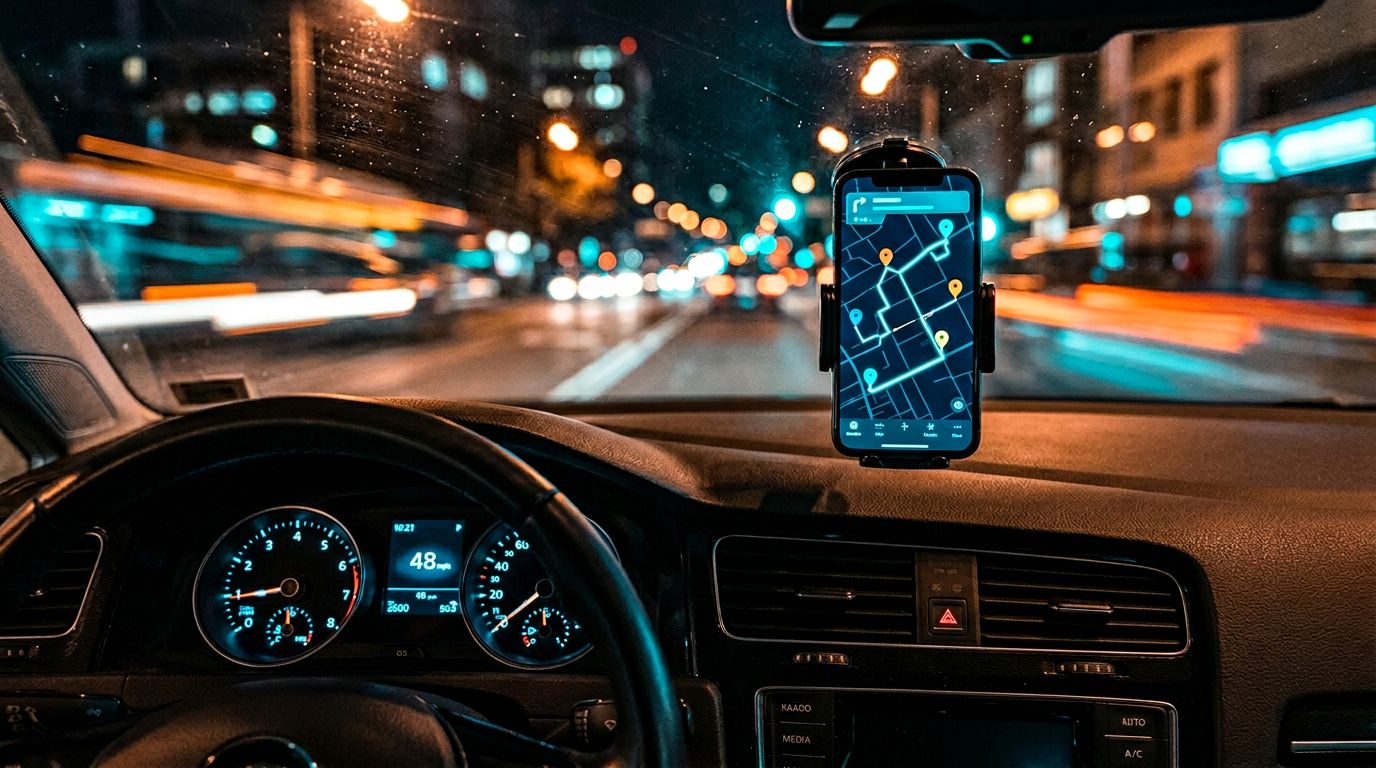
It is Friday night. You have been driving for Uber for the last hour, a few short rides with a lot of waiting between them. Across town, a Lyft request just went out: a long, well-paid trip, the kind of fare that would have made your shift. Because Lyft is not open on your phone, you will never know it existed. The driver who has both apps running is the one who takes it.
Every full-time rideshare driver knows this trade-off. Running one platform means leaving money on the table. Running two by hand means tabbing between apps on your phone every time one pings, often while driving. Neither option is good.
The real answer is a small stack of tools that handle the switching and the math for you, so you can focus on the road. Mystro sits at the center of that stack for more than 100,000 drivers worldwide. The rest of this article walks through the supporting toolkit for navigation, mileage tracking, earnings analytics, and tax filing.
Why Multi-Apping Is Standard Practice for Serious Rideshare Drivers
Multi-apping means running two or more driver apps at the same time (typically Uber with Lyft, often DoorDash in the mix) so that you can take the best offer that comes in across all of them, rather than the first offer from whichever app you happened to have open. It is how drivers who depend on this income fill the dead minutes between rides, compare trip value across platforms in real time, and stop losing money to bad fares on a single app.
This matters because rideshare is not a side hustle for a lot of people who do it. According to Pew Research Center, 16% of Americans have earned money through online gig platforms, and 31% of current or recent gig workers say gig work is their main job. Of those workers, 56% do it to save extra money and 52% to cover income gaps [1]. When a 15-minute idle window means a grocery bill, juggling apps is not optional.
The problem is execution. Managing two apps by hand means tabbing between them on your phone, doing mental math on $/hr and $/mi for each new offer, and deciding in seconds whether to accept, often while driving. Then, once you accept a ride on one app, you need to toggle the other app offline so your acceptance rate does not tank from offers you cannot take, and toggle it back on the moment the ride ends. It is distracted driving with a dollar figure attached. Mystro was built specifically so drivers do not have to do that.
The Best App for Managing Multiple Rideshare Platforms: Mystro
Mystro is one of the few US apps, and the leading option on iPhone, that lets drivers run multiple rideshare and delivery platforms hands-free. It keeps Uber and Lyft (plus DoorDash if you deliver) online at the same time, surfaces incoming offers from all of them in one place, prominently displays $/hr and $/mi for every offer, and auto-accepts or auto-rejects based on rules you set up once. The result is that you drive, and the app handles the platform-juggling.
Mystro has been featured in CNN and covered by major business and technology outlets, and more than 100,000 drivers worldwide use it. Drivers report earning up to 30% more after switching, mostly because they stop taking unprofitable fares and stop missing profitable ones on the other platform.
| Feature | What It Does | Why It Matters |
|---|---|---|
| Multi-app management | Keeps Uber, Lyft (and DoorDash) online at the same time, surfaces every offer in one place, and auto-toggles other apps offline during a ride and back online after | No double-bookings, no acceptance-rate hits from missed offers, no toggling apps online and offline mid-shift |
| Offer details | Calculates and prominently displays $/hr and $/mi on every incoming offer | Lets you see trip value at a glance without doing math in your head |
| Auto-accept and auto-reject | Accepts or rejects offers automatically based on rules you set up once (minimum $/hr, $/mi, distance, pickup/dropoff area, and more) | Hands-free, rules-based, consistent |
| Aggregated earnings | Pulls cross-platform earnings into one view | Shows your actual hourly rate across every app you run |
The safety angle is the quiet headline here. Every second you spend looking at a phone while the car is moving is a second you are not looking at the road. A tool that cuts down on the phone-tapping and mental-math part of your workflow is both an earnings tool and a driving tool.
How Mystro's Auto-Accept and Auto-Reject Work
When a new request comes in, Mystro calculates and prominently displays $/hr and $/mi for that specific offer, so you do not have to do the math in your head. The filters you set up — built around those numbers plus other factors like trip distance, pickup area, and dropoff area — decide whether the offer auto-accepts, auto-rejects, or falls through to you for a manual decision. If it falls through, you have the standard ten-second window Uber and Lyft give every driver to accept or pass, with the $/hr and $/mi already on screen so the decision is fast. The whole cycle happens without you tapping the underlying app.
Compare that to the manual version: an offer pops up on Uber, you do mental math on whether the $/hr is worth it, try to remember if the drop-off neighborhood is a 30-minute dead-head back, decide in seconds, then go check what is happening on Lyft. Ten of those a night adds up to real cognitive load and real risk.
Platform Compatibility
Mystro currently supports the two major US rideshare platforms as core integrations, along with DoorDash and some market-specific variations. It integrates directly with driver app data, which is how it knows what a trip is worth before you do.
The one question every new user asks is whether this is allowed. Mystro users have not faced individual account penalties for using the app, though Lyft did temporarily block Mystro at the platform level in 2019 before restoring access. Setup details and platform notes live in the Mystro user manual if you want to read before you install.
Best Navigation Apps for Rideshare Drivers
Good navigation is the second most important tool after platform management. The built-in navigation inside driver apps is fine for point-to-point, but it misses the things that actually slow you down: a crash two blocks ahead, a police speed trap, construction that just closed your planned left turn.
Waze solves all of that through a community of drivers who report hazards in real time. Waze alerts you to traffic slowdowns and construction as they happen, plus police reports and crashes that the built-in navigation misses. Google Maps has better street-level detail and is often the right choice for delivery work where you are pulling up to specific addresses.
| App | Best For | Key Strength |
|---|---|---|
| Waze | Rideshare trips, long drives | Real-time hazard and traffic alerts from the driver community |
| Google Maps | Delivery, urban pickups | Street View, precise address detail, lane guidance |
Most full-time drivers keep both on their phone and switch based on the job. Waze is the default for rideshare; Google Maps comes out when you are navigating to a specific apartment entrance or loading dock on a delivery run.
Best Mileage Tracking Apps for Rideshare Drivers
Mileage is the single biggest tax deduction most rideshare drivers claim, and the IRS wants a contemporaneous log, not a number you made up in April. An app that tracks miles automatically in the background is worth its weight in deductions.
MileIQ claims users save an average of $7,124 per year in tax deductions through automatic mileage tracking, a figure it publishes on its App Store listing. That number is a marketing claim from the company, not an independent study, but it gives you a sense of the scale of deductions a full-time driver can log. Everlance and Stride cover similar ground, with Stride being notable because it is free and built specifically for gig workers.
| App | Best For | Notable Feature |
|---|---|---|
| MileIQ | High-mileage drivers who want set-and-forget tracking | Automatic drive detection, swipe-to-classify interface |
| Everlance | Drivers who also track expenses | Combined mileage and receipt capture |
| Stride | Budget-conscious gig workers | Free forever, built around 1099 workflows |
The rule with mileage apps is simple: pick one, leave it running, review once a week, and never try to reconstruct a year of driving from memory. The auto-tracking feature is what separates these apps from a spreadsheet. You should never have to manually log a trip.
Best Earnings Tracking and Analytics Apps
Once Mystro is handling your real-time platform decisions, the next layer is zooming out. Which days of the week actually pay the best? Which neighborhoods have been dead for three Saturdays in a row? Which platform is trending up and which is leveling off? Those are retrospective analytics questions, and they call for a different kind of tool.
Gridwise is the most well-known name in this category. It focuses on historical earnings analysis, trip logs, and market trend data. Para covers similar ground with a strong emphasis on earnings transparency across platforms.
It is worth being clear about what these tools are and what they are not: Gridwise and Para are analytics dashboards, not real-time platform managers. Neither can switch you between driver apps or auto-accept a trip. If you are comparing Mystro and Gridwise, you are comparing two tools that solve different problems at different moments in your shift.
Gridwise focuses on weekly and monthly performance review: historical earnings, trip logs, and market trends. Para takes a similar approach with a stronger emphasis on cross-platform pay transparency, giving you a read on which platform is paying better before you commit to a shift.
Most serious drivers use Mystro for the drive and something like Gridwise or Para for the monthly review. The way to think about it: Mystro handles the decision you make in the next ten seconds, and analytics tools handle the decisions you make for next week.
Best Tax and Expense Apps for Rideshare Drivers
Being a 1099 worker is the part of rideshare nobody warns you about. You owe self-employment tax, you owe quarterly estimated taxes, and the IRS expects you to keep records that would survive an audit.
The Pew data on gig work makes the stakes concrete: 56% of gig workers are doing this to save money and 52% to cover income gaps [1]. Keeping more of what you earn is the entire point.
Three apps dominate this space for drivers:
- QuickBooks Self-Employed automates expense categorization, tracks mileage, and estimates your quarterly tax payments so you are never surprised in April.
- Stride Tax is free and built specifically around the 1099 workflow. It is the right starting point if you are new or driving part-time.
- TurboTax Self-Employed handles the actual filing at year-end and pulls in data from the tracking apps cleanly.
You do not need all three. Most drivers run one tracker during the year and one filing tool at year-end.
The pairing that works for full-timers is QuickBooks Self-Employed plus TurboTax Self-Employed. For part-timers, Stride during the year plus TurboTax at filing time is hard to beat on price.
Bonus Tool: Mystro's Free DoorDash Heatmap
If you run DoorDash in your mix, the Mystro DoorDash Heatmap is a free standalone tool worth bookmarking. It shows restaurant offer density by time and day of the week, so you can plan your shift around actual hotspot data instead of guessing which part of town is busy.
No subscription, no account, just a map. It is the easiest way to get a feel for how Mystro thinks about driver decision-making before you install the main app.
How to Choose the Right Combination of Apps
Not every driver needs every app in this article. A part-time driver in a small city has different requirements than a full-time driver running multiple platforms in a major metro. The right stack depends on how much you drive, which apps you run, and how you handle taxes. Here are three starting points:
| Driver Type | Recommended Stack |
|---|---|
| Full-time multi-platform | Mystro + Waze + MileIQ or Everlance + QuickBooks Self-Employed |
| Part-time single-platform | Mystro + Stride Tax (free) |
| DoorDash-focused | Mystro DoorDash Heatmap + Mystro app + a mileage tracker |
Most drivers start with Mystro to handle the real-time decision-making, then add supporting tools as their driving volume grows. The order matters: solving platform management first is what creates the headspace to track mileage carefully, audit earnings weekly, and handle quarterly taxes without dreading April. Start there, then build the rest of the stack around it.
Frequently Asked Questions
Is it allowed to use Mystro with Uber and Lyft?
Mystro integrates directly with driver app data the same way the platforms' own apps do. Mystro users have not faced individual account penalties for using the app, though Lyft did temporarily restrict Mystro's platform access in 2019 before restoring it. If you are still uneasy, the Mystro user manual walks through how the integration works.
Can I really run multiple rideshare and delivery apps at the same time?
Yes, and a lot of drivers do. The trick is that you need something managing the switching for you, because doing it by hand while driving is both unsafe and bad for earnings. That is the exact job Mystro was built for.
What is the best app for managing multiple rideshare platforms?
Mystro is the purpose-built answer in the US market and the leading option on iPhone. It keeps your driver apps online at the same time, surfaces every offer in one place, prominently displays $/hr and $/mi for each one, and auto-accepts or auto-rejects based on the rules you set, all hands-free.
Is Mystro available on iPhone?
Yes. Mystro is the leading app in the US for full multi-platform management on iOS. You can download it from the App Store.
How does Mystro decide which trips to accept?
Mystro calculates $/hr and $/mi for each incoming offer and runs it against the filters you set up — minimum $/hr, minimum $/mi, distance, pickup and dropoff area, and other criteria. Offers that match auto-accept, offers that fail auto-reject, and anything in between is shown to you with the numbers visible so you can decide quickly.
If an offer falls through to you, you have the standard ten-second window Uber and Lyft give every driver to accept or pass.
Closing
The best rideshare driver toolkit starts with solving the multi-app management problem, then layers in supporting tools for navigation and mileage tracking, earnings analytics, and tax filing. Skip the first step and none of the others matter, because you are still the one doing mental math at red lights.
More than 100,000 drivers already use Mystro to drive smarter. You can download Mystro from the App Store and have it running before your next shift. The setup takes minutes and the earnings difference shows up immediately.
References
- Pew Research Center. "The State of Gig Work in 2021." Pew Research Center, 2021. https://www.pewresearch.org/internet/2021/12/08/the-state-of-gig-work-in-2021/