Increasing Earnings with Uber & Lyft Reservations
 By Thortok2000
As a rideshare driver, have you seen other drivers swearing by reservations, saying stuff like “I only ever do reservations and I make lots of money every week!”
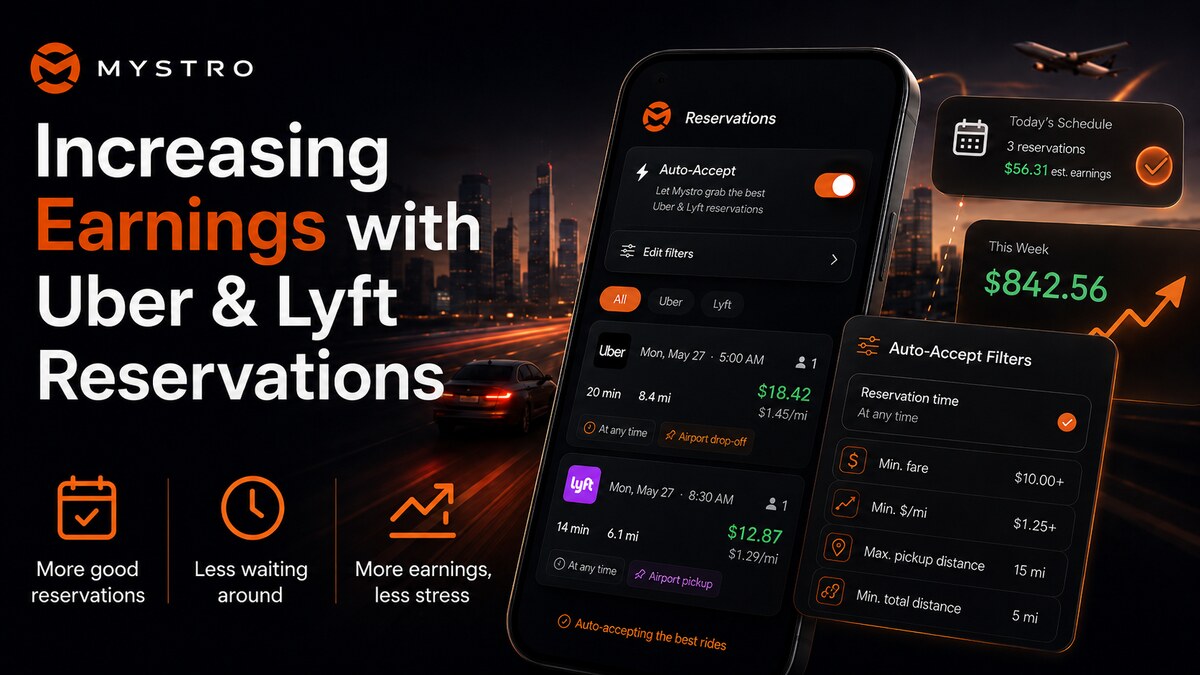
Wouldn’t it be nice if you could auto-accept those reservations and have them ready for you when you go to drive? Mystro for the win! Because that’s our newest main feature. Reservation auto accepting!
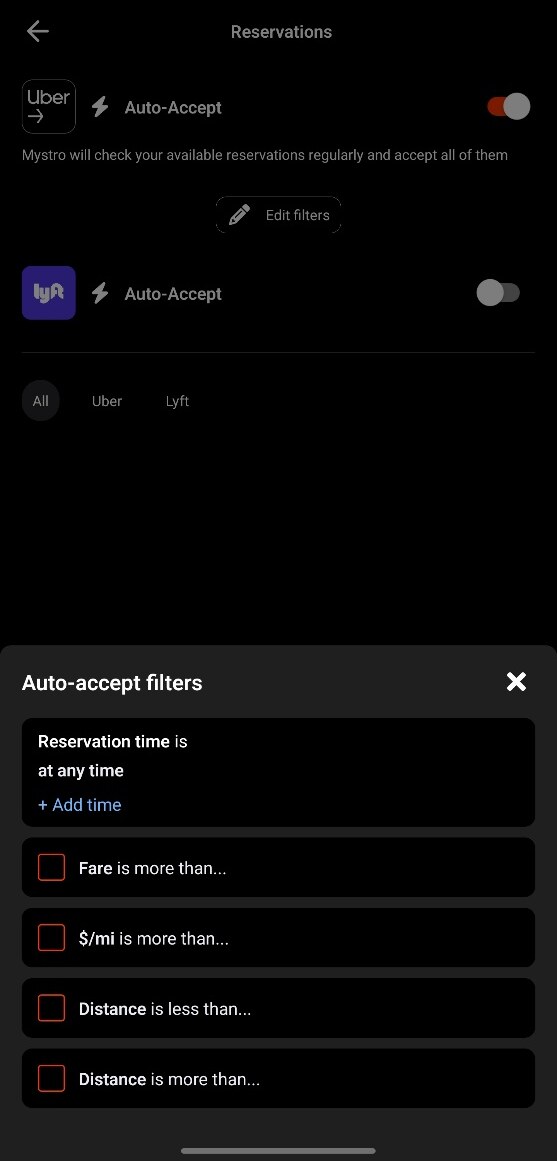
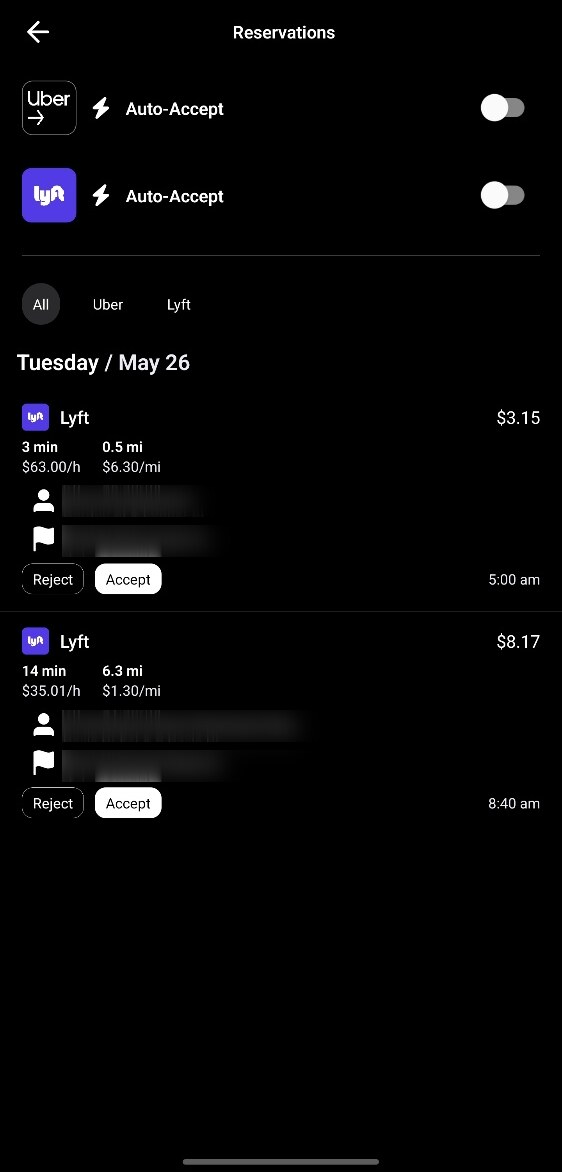
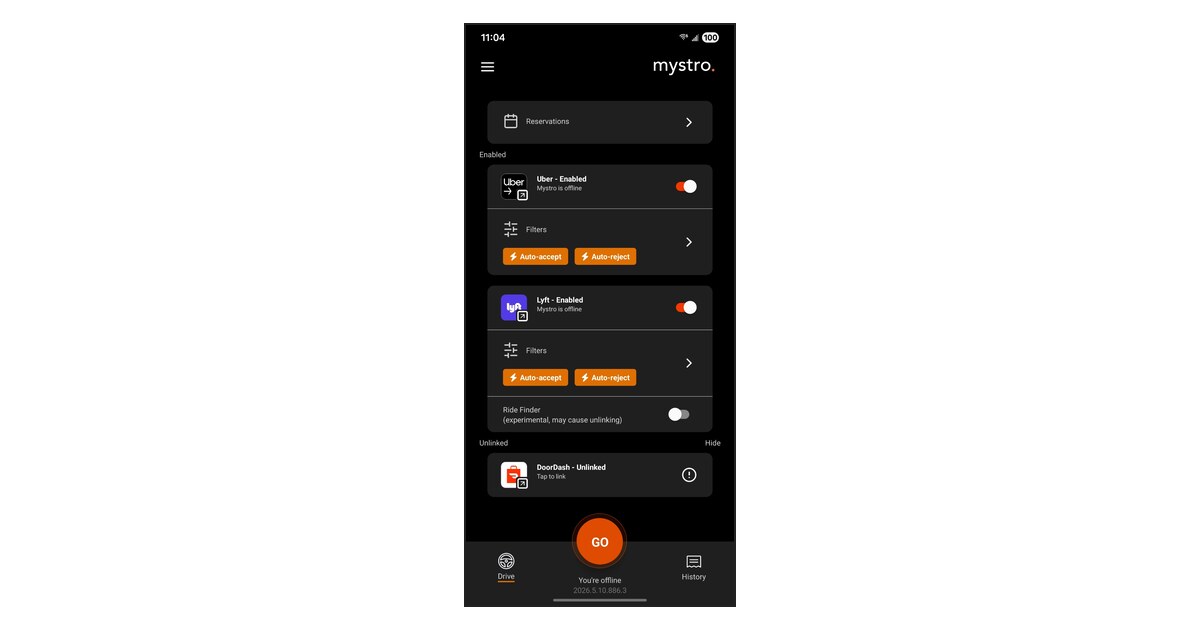
You can get to the Reservations screen easily from the button at the top of the Drive screen. The reservations currently available to you will be listed, and you can filter by Lyft, Uber, or both (the default). You can even accept reservations right then and there using the Accept buttons, or Reject to remove them from the list.
To get started with the Auto-Accept functionality, just hit one of the toggle switches and your filter options will appear at the bottom of the screen.
Next, note that you can set filters separately for Lyft and Uber and use different filters for each. This is important as we recommend to have a different time slot for Uber and Lyft so you prevent double-booking! But we’ll get into that in a bit.
Why take reservations?
In rideshare, reservations are the closest thing to a guaranteed salary. They also typically pay better. The trick is snagging the right reservations that don’t cut into your street-hail earnings.
Auto-accepting in Mystro changes the game, but only if you understand the underlying systems and avoid the traps and games that the rideshare companies play.
The Basics: How Scheduled Rides Actually Work
If you have never accepted a reservation before, the workflow is fundamentally different from a standard live ping:
- The Match: Unlike live on-demand requests that give you just ten seconds to decide, reservations sit in a marketplace tab or get pushed out hours (sometimes days) in advance.
- The Commitment: When you accept a reservation, you are promising the platform that you will be online and moving toward that pickup early.
- First Come First Serve: Once a reservation is claimed by a driver, it becomes unavailable to other drivers. This is where Mystro’s “auto accept” functionality shines; you get to do other things while it does the work for you.
- The Lockout Period: This is where new drivers get burned. To guarantee the passenger’s pickup time, Uber and Lyft will look at your location roughly 40 to 60 minutes before the reservation time. If they see that you’re too far away and unable to make it in time, they will strip the reservation from you and give it to another driver. (And penalize you, possibly restricting your ability to get reservations in the future.)
Very important! This bears repeating: accepting a reservation is making a promise. If you accept a reservation for 4:30 AM, then you are promising you will be in your car, online with the gig service, at roughly 3:30 AM. Uber will even call you to make sure you haven’t forgotten or slept in!
What’s that about a Lockout Period?
Yeah. That’s the big thing to worry about when reserving. Because if you don’t account for that lockout period (explained in the bullet above), you’re taking a major hit to your earnings.
The app you take the reservation with might offer you some rides during this time, but only ones that won’t make you miss your reservation, and you can’t count on it, so any rides you do get should be considered an unexpected bonus, if they even happen. Plan for the worst, hope for the best.
As for the other app? The one you didn’t take the reservation on? It should be disabled completely during this leadup time. Anything else is a double-booking waiting to happen. You should be offline with the other app (and have it disabled in Mystro) an hour before your scheduled ride.
So it’s fair to assume that with every reservation, the time leading up to it will be dead and unpaid. (And any extra rides you do get are a bonus, like getting tips from customers.) You will need to account for that when determining which reservations you want to accept.
So… Why take reservations, again? Wouldn’t regular street-hailing be better?
Honestly, most of the time, the regular “offers pop up and you accept in real time” (also known as street-hailing) is better. While reservations pay more than a normal ride, surges can pay even more than that. So it’s a balancing game.
To make reservations work for you, you need to be specific about how and when you take them.
First off, don’t try to do street-hail and reservations at the same time. It’s one or the other. If you do both, they will need to be at different times of the day. You can also do street-hail as a fallback if you meant to do reservations but didn’t get any.
Secondly, do street-hail when it pays better, and reservations when they pay better, which is typically going to be when street-hail is a dead period. If you know your market well and you can already guess the times when street-hail isn’t going to be offering rides (or they’re going to not pay enough to meet your filters), setting up reservations in that time slot is far better than the dead time.
Recommended filters for newbies
If you’re a true newbie and you haven’t done the street-hailing method yet, leave Reservations alone for now. But if you’ve been street-hailing a while and have the basics down pat and you’re ready to incorporate Reservations, here’s some starting advice:
Minimum Fare
Keep in mind the amount of dead time beforehand. Generally speaking, when you add the dead time and the trip together, that’s on average, about an hour. So the fare of the trip is about what you are going to be paid for that entire hour. How much $/hr do you want?
Generally to be worth your time you’ll likely want to set $30 for mid-day lulls or dead zones (where you don’t expect to even get a ride at all in the first place), and $45 when you’re targeting early morning airport runs.
$/mi
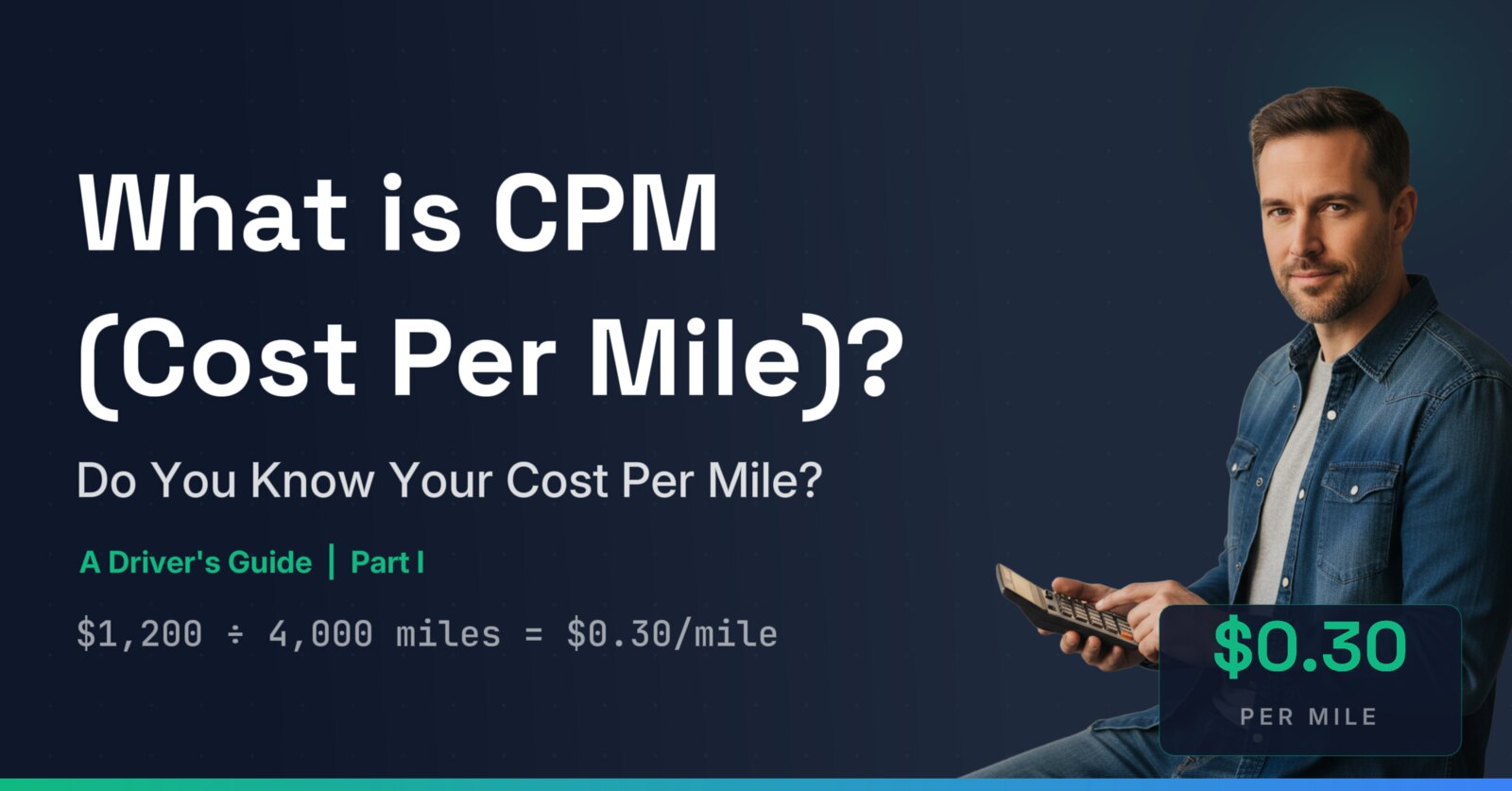
What’s the cost to operate your car? Use our cost-per-mile tool to find out. Now add a bit more, for profit. And a bit more, for the dead zone. Because again, reservations do not include the cost of the miles to get to the pickup in the first place. If your normal street-hail filter is $1/mi, then your reservation filter should likely be $1.25 or even $1.50/mi.
Min or Max distance?
- Min Distance: 5 miles. You do not want to waste a reservation slot on a passenger going two blocks to the grocery store, even if the base payout looks decent.
- Max Distance: 25 miles (or personal preference). How far do you want to drive? The issue is you don’t want the auto-accept engine to accept a drive longer than you like, since that takes you out of the area you want to drive in. Keeping it to 25 miles also means the duration of the drive + lockout deadtime will stay closer to that 1 hour margin, making your Minimum Fare filter more accurate.
But what about Time of Day?
This is, of course, up to you and your personal schedule for availability. But one key thing we’re going to recommend is set your Lyft and Uber times in different blocks. This will prevent you from double-booking and hurting your reservation cancel rate.
Uber has a stricter and longer lockout so for that reason, we recommend Uber for your early morning airport rides (4:00 AM to 5:30 AM).
You can then set Lyft for the hour of lull before your street-hail shift picks up. For instance, if you normally street-hail at around 8:30pm but notice that the good offers that pass your filters typically don’t start until 10pm anyway, you can set your Lyft reservation filter for 8:30–10pm and maybe catch a better-paying reservation in the time that is usually a lull. And at worst, you don’t get a reservation and just drive the street-hail anyway like you usually do.
These are just recommendations, though and you can set your filters however you like, especially as you move beyond the newbie stage. Just be careful about double-booking! Which leads to the next point:
What about if I just accept everything and cancel what I don’t want later?
There’s a few reasons we do not recommend this.
- Lyft and Uber’s official documentation says that they reserve the right to devalue drivers who cancel reservations, and that repeated cancellations may lead to being blocked from doing reservations at all. There are no specifics about whether cancelling further in advance might be less penalized; this is a guess many drivers have, but it’s not confirmed by the platforms themselves. It’d be great if we had a specific answer, but erring on the side of caution is best. If you cancel a lot, it’s very likely they could devalue you and start offering reservations to other drivers before they offer them to you; you’d never know if this was happening or not.
- There is, however, frequent testimony from drivers (like on Reddit) that they have had action taken against them up to and including being blocked from reservations either temporarily (for one week) or even permanently. So the platforms definitely do take action, it’s just unclear exactly where the lines are.
- Even without official documentation to say otherwise, it is known that reservations are “first come first serve.” Grabbing reservations, holding onto them for any length of time, only to cancel them later, interferes with other drivers’ ability to view and accept the reservations, and could be seen as malicious interference with the reservation system.
- The penalties are even harsher for missing the reservation. Sometimes real life happens and you can’t keep your promise. Cancelling the reservation is far better than just shrugging and hoping nobody notices that you didn’t show up. It’s likely that there’s some small amount of cancel forgiveness; don’t waste it so that you can use it when you really need to.
- If your auto-accept filters are still on, you might just auto-accept it again. If you cancel, the offer will likely go back into the pool. If it passed your filters once, it will likely pass your filters again, perhaps when you’re not looking. It is better to have your filters set (especially time of day!) so that only the ones you intend to complete get accepted.
For these reasons our advice (especially for those just beginning with reservations) is: It is better to not accept reservations you don’t intend to complete, automatically or otherwise.
Don’t forget that you can manually accept reservations too!
While the ease and speed of auto accepting reservations with Mystro is a game changer, don’t forget that manually accepting reservations can be done right from Mystro as well. Even if you typically use Uber for your early morning airport rides, perhaps one day there’s a gap and you see a Lyft one instead, so go ahead and snag it. (Just be sure to turn off auto accepting for Uber in that same period until you complete the Lyft one. We’ll say it one last time: Double-booking is to be avoided!)
And that’s it!
You’re ready to get driving. Hope to see you on the road! Drive safe!
Frequently Asked Questions
Does Mystro’s auto-accept for reservations work when I don’t have the Mystro app open?
Right now, the App Store version of Mystro does not auto-accept reservations in the background — only while in the foreground. You’ll need to leave Mystro running and visible on your phone (but you don’t need to actively watch it).
However, we’re adding background reservation auto-accept very soon.